Deploy ASP.NET Core to Scaleway
No free credit — a usable DEV1-S box from about €6.55/month.
Scaleway is a French cloud provider with no standing free credit, but a validated card unlocks the
DEV1 instance range at a reasonable price — about €6.55/month for a 2 vCPU / 2 GB DEV1-S,
enough to run a small ASP.NET Core app comfortably.
1. What you need
- A Scaleway account with a validated payment card.
- A Scaleway API secret key.
- A DotDeployer account.
2. Create the account and the API credential
- Sign up at console.scaleway.com/register with your
email and a password, verify your email, set your organization as a Company, and add a card
under Billing — validating the payment method is what unlocks the
DEV1instance quota; ID upload is only needed for larger resource ranges. - Go to IAM → API keys (
console.scaleway.com/iam/api-keys) and click Generate an API key. Give it a description and an expiry, answer “No” to using it for Object Storage, and copy the Secret key it generates — it’s shown once. The Access Key ID shown next to it is not needed. - Go to Organization & Project Settings → Projects and copy the Project ID of the project you want DotDeployer to provision into — Scaleway has no way to look this up from the secret key alone, so DotDeployer needs it up front.

3. Connect it in DotDeployer
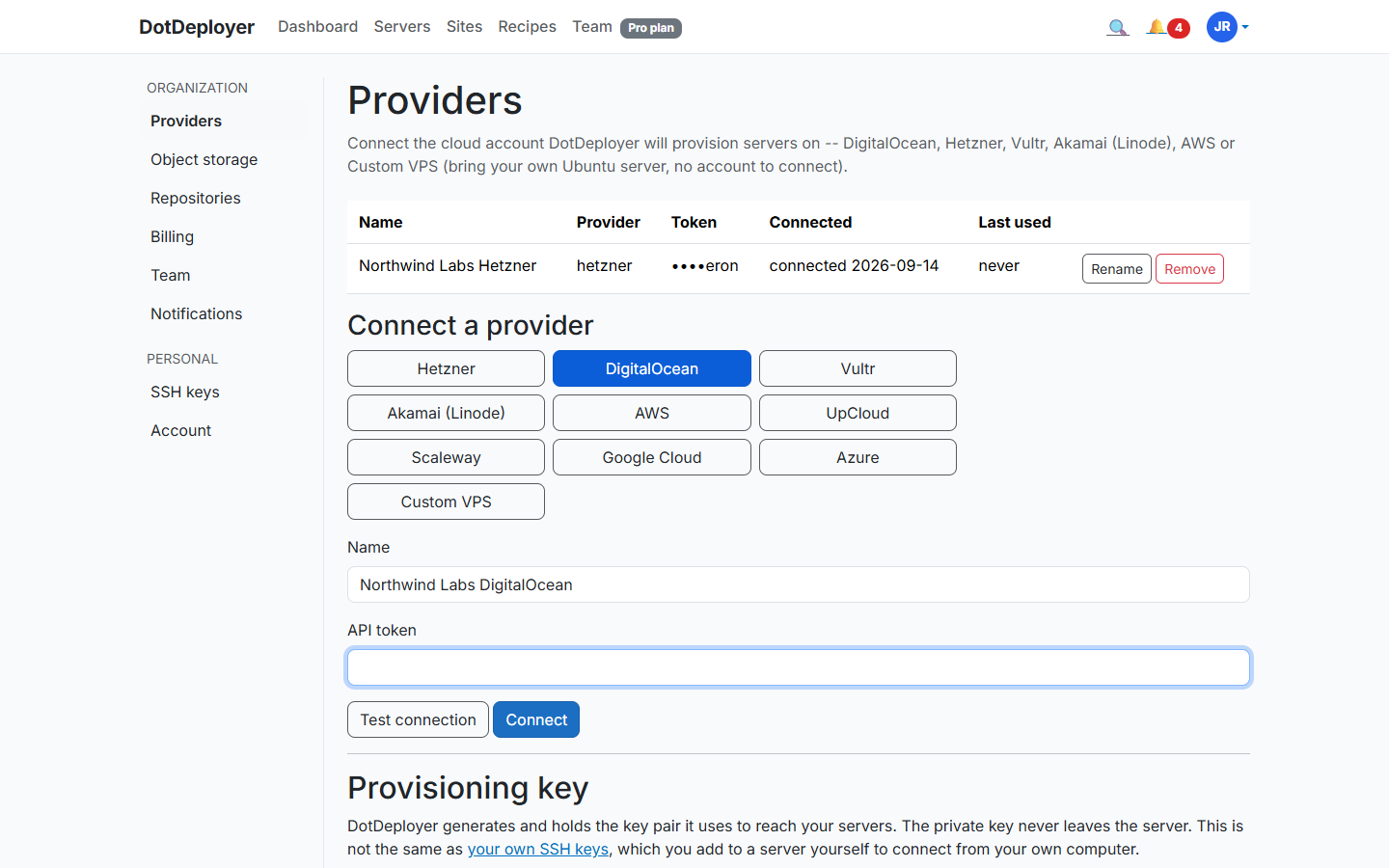
- In DotDeployer, go to Settings → Providers → Connect a provider → Scaleway.
- Enter a name, paste in the secret key and the project ID. Servers provision in
fr-par-1, Scaleway’s default zone. - Click Test connection, then Connect. Both values are encrypted at rest.
4. Create the server
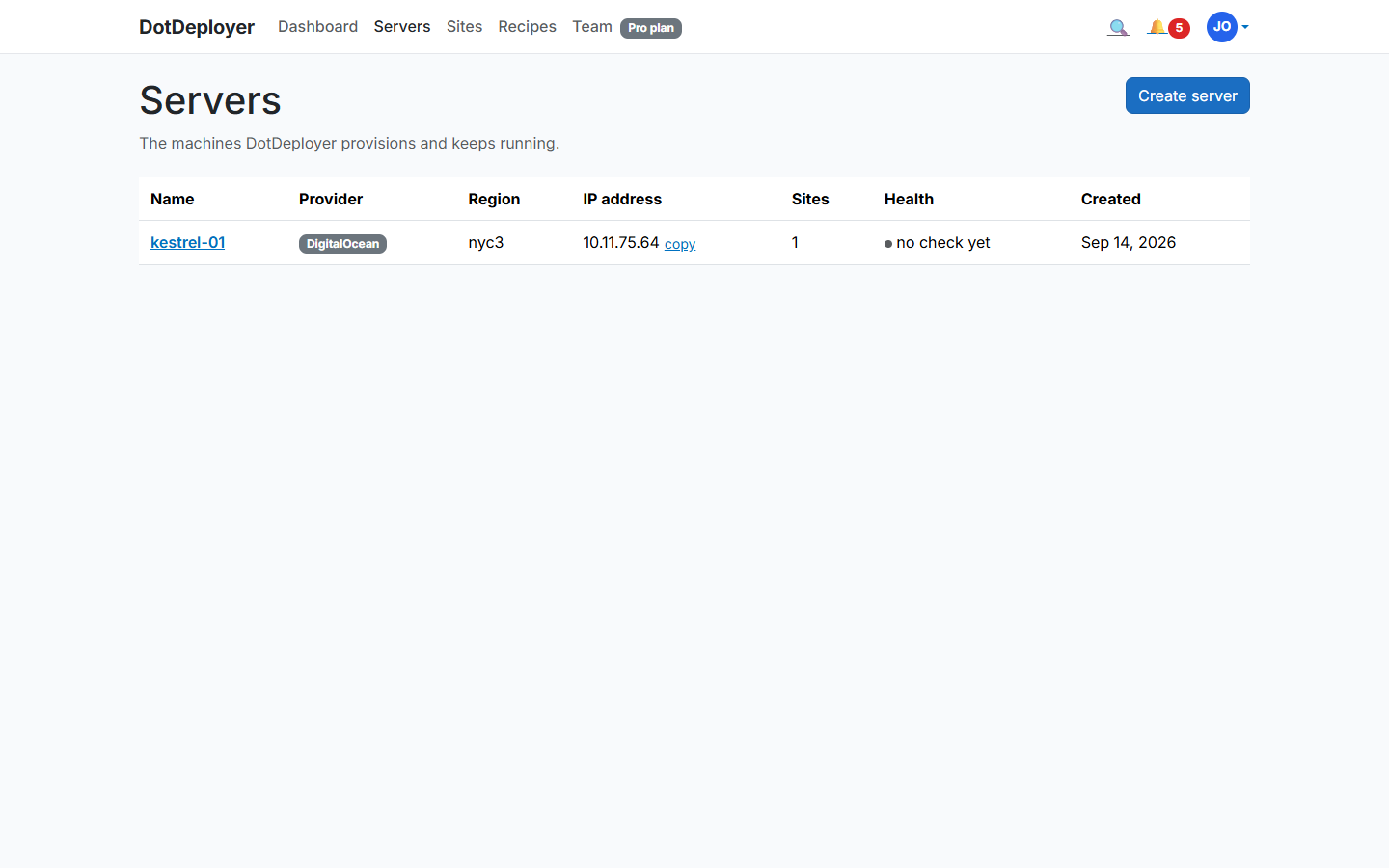
- From Servers → Create server, pick Scaleway, and choose a size —
DEV1-S(2 vCPU / 2 GB) is a comfortable default for a small ASP.NET Core app. - DotDeployer provisions the instance and bootstraps it: firewall, unattended security updates, the ASP.NET Core runtime, nginx. It shows Active once ready.
5. Add a site and deploy from GitHub
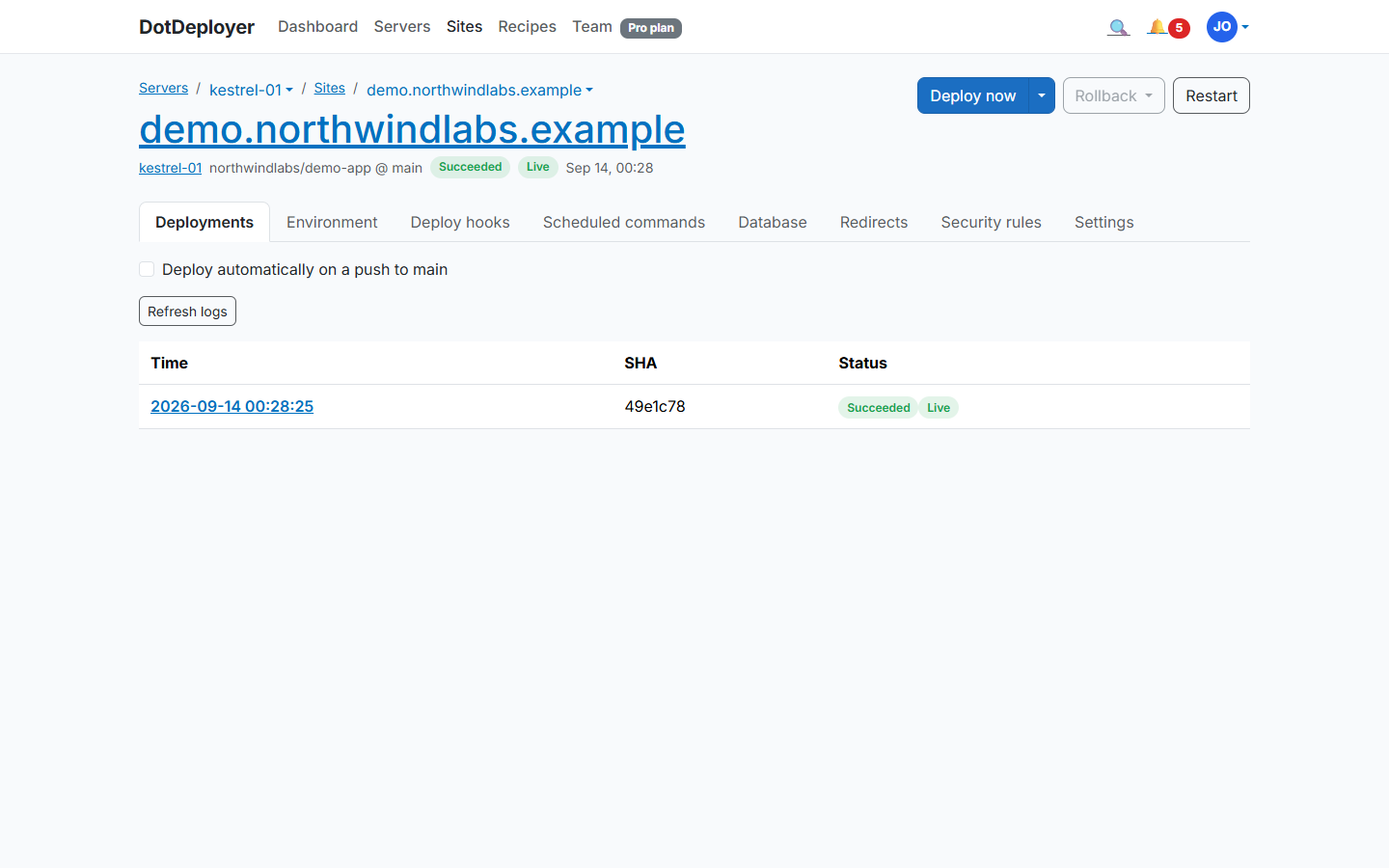
- Click Add site on the server and connect the GitHub repository you want to deploy.
- DotDeployer publishes your app, sets it up behind nginx as a systemd service, and streams the deployment log as it runs.
- Every later push to that branch deploys automatically, with the last five releases kept on disk for an instant rollback.
6. Database and environment variables
Install PostgreSQL or SQL Server on the same instance from the site’s Database tab — the port
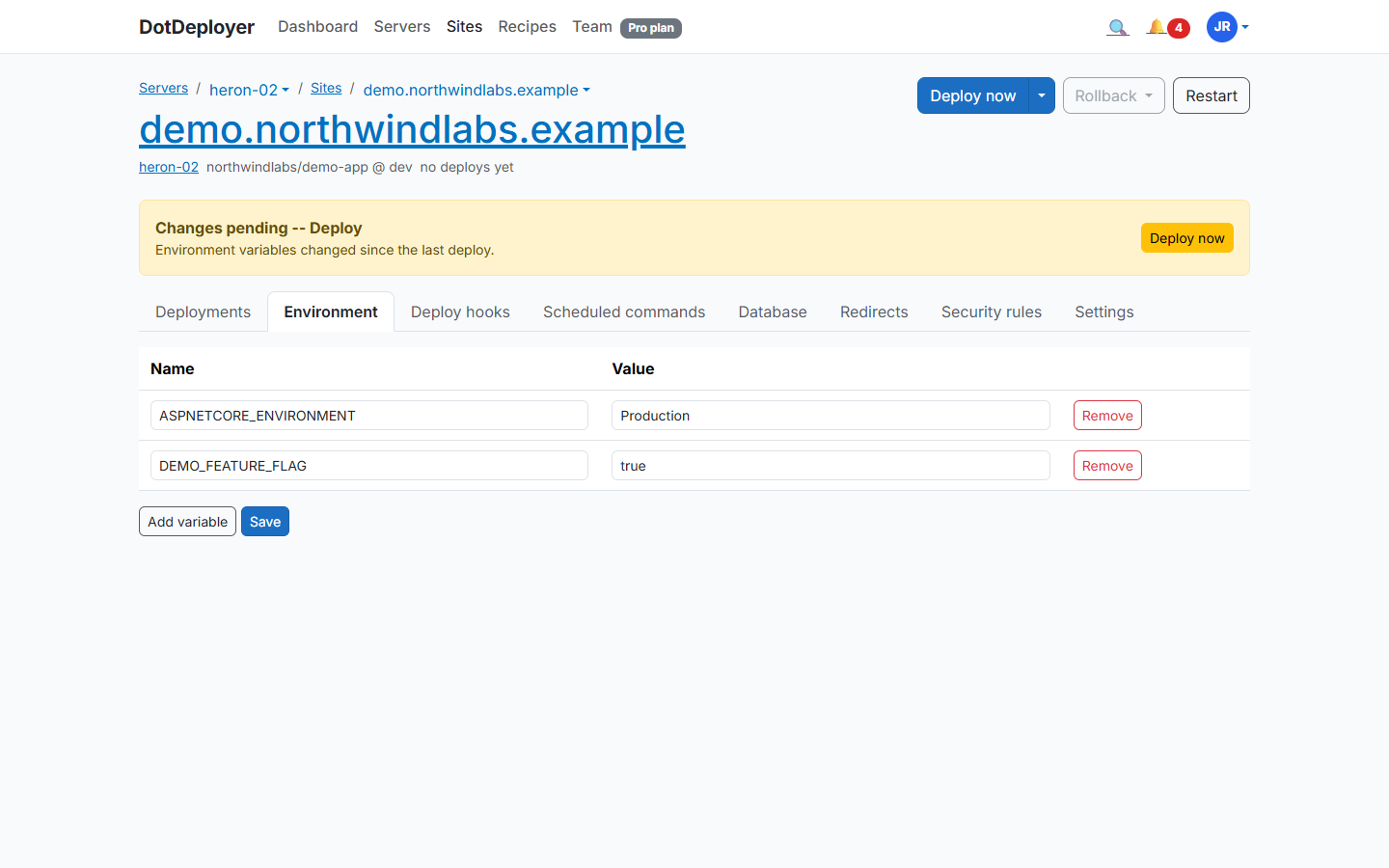
stays closed to the internet, you connect from your laptop over an SSH tunnel. Set your connection
string and other configuration under Environment variables, encrypted at rest and delivered as
a systemd EnvironmentFile, never committed to your repo.
7. HTTPS
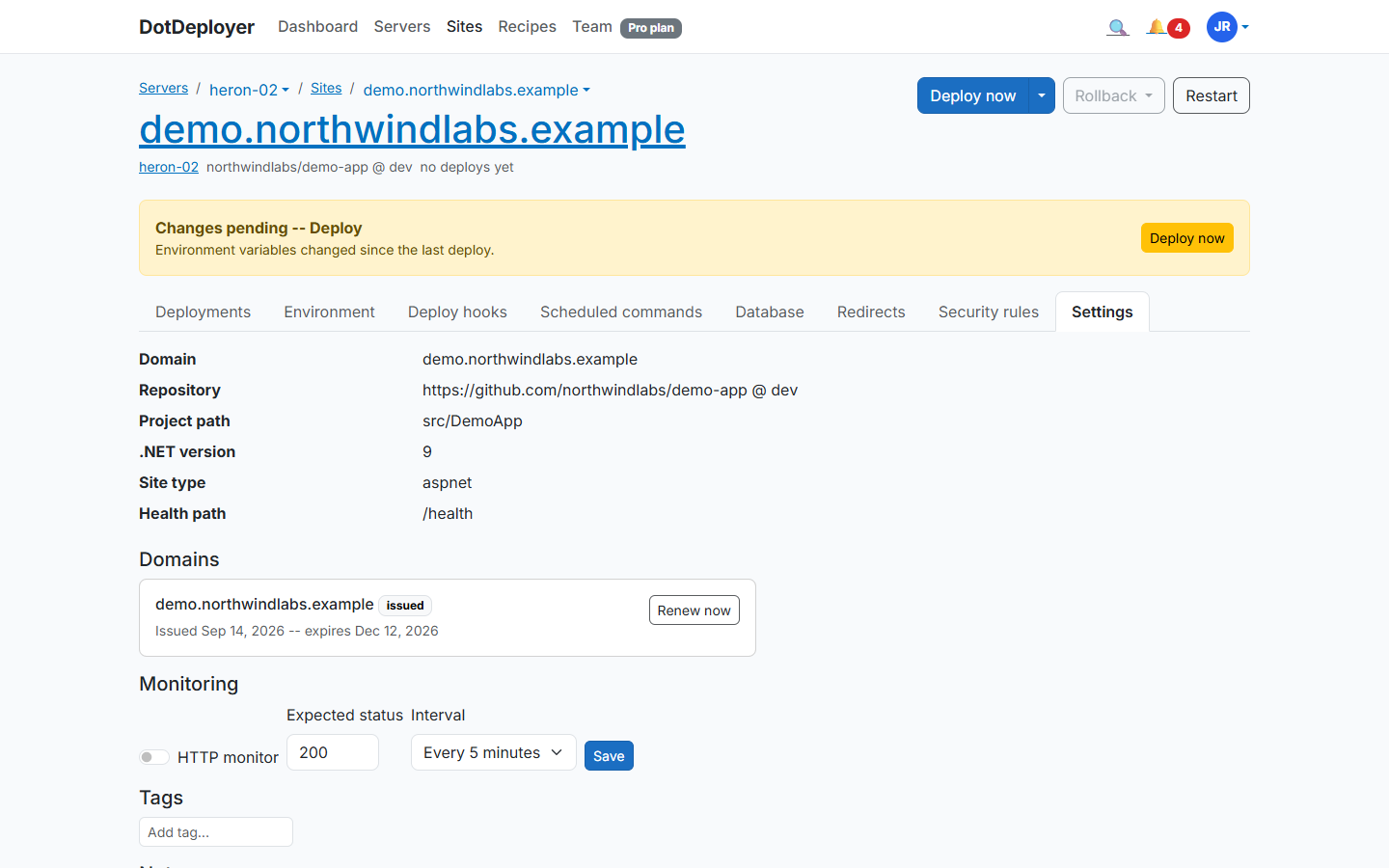
Point an A record at the instance’s IP for your domain, then add it under the site’s Settings tab (Domains section). DotDeployer requests a Let’s Encrypt certificate and renews it automatically.
8. What to check
- The site loads over HTTPS with a valid certificate.
- The deployment log shows the latest commit as the live release.
- Scaleway’s pricing is in EUR, ex-VAT — check your invoice reflects that if you’re budgeting in another currency.
- If you’re just testing, destroy the instance when you’re done and confirm it’s gone from Scaleway’s console.